Assistants
Friendly helpers enabling intelligent conversation.
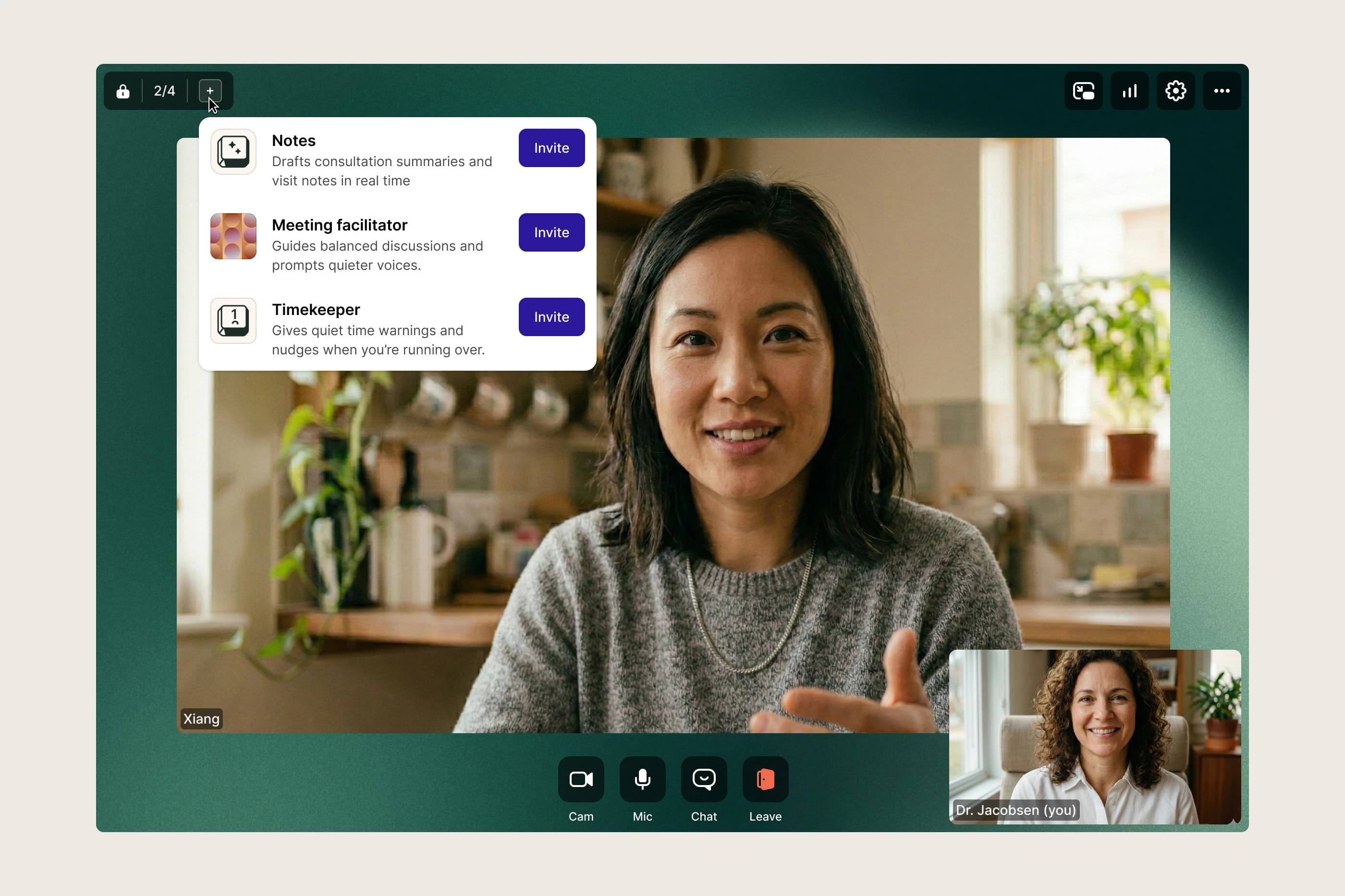
Whereby provides the simplest way to do video calls. You click an invite and it opens in your browser. The embeddable product lets companies, especially in telehealth, build video calls directly into their own environment so it feels connected with their service. Assistants lets these customers bring their own tools into a live session as a visible, trusted participant that joins, stays out of the way, and surfaces value at the moment it's needed.
One enterprise telehealth customer was willing to put AI inside a clinical room, and continues to build on it. That happened because of the trust model I designed: visible, named, consented, never invisible. I led design across the experience: how builders configure an assistant, how they show up in-session, and how teams control and trust them.
Trust-First Design
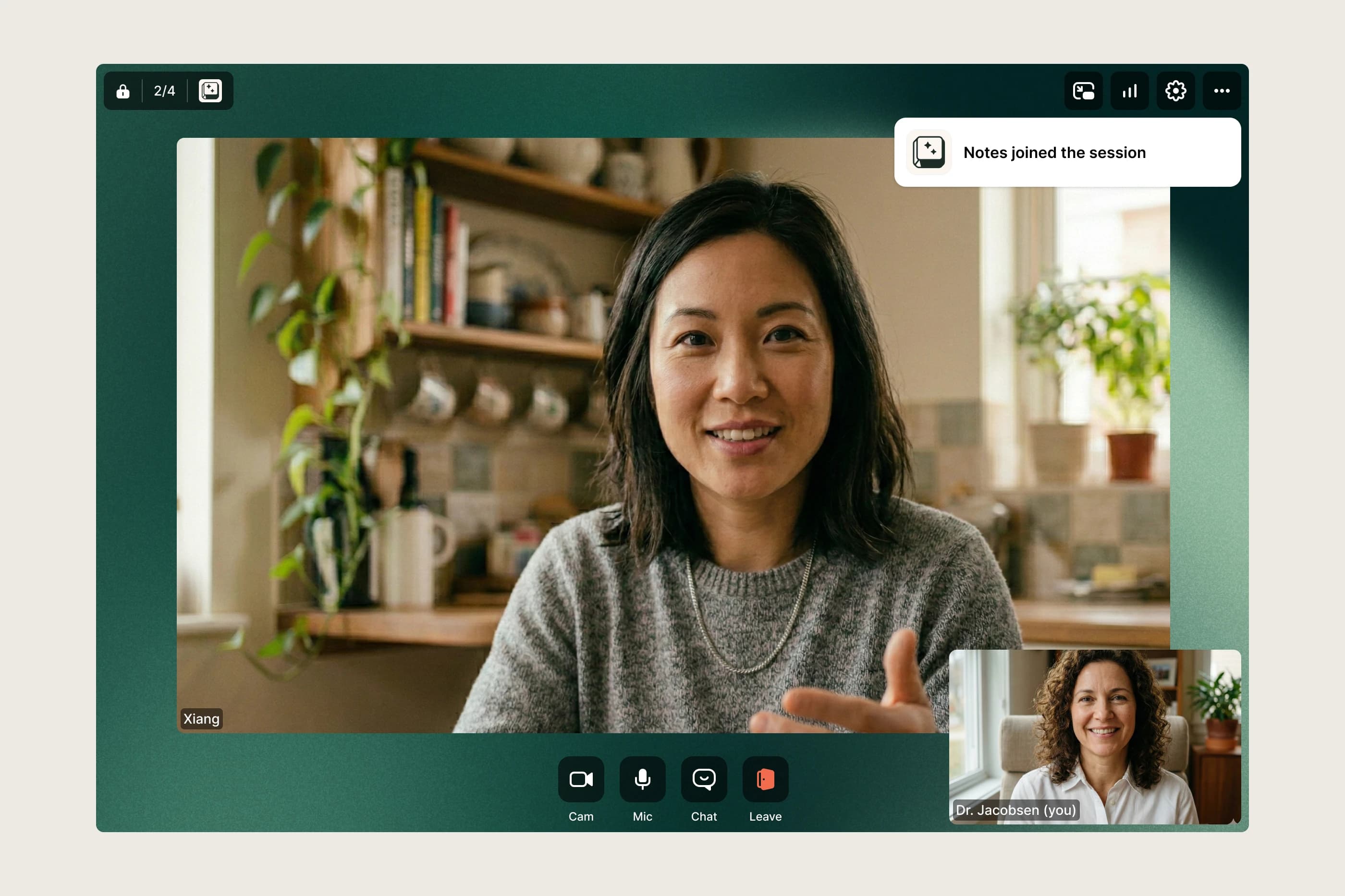
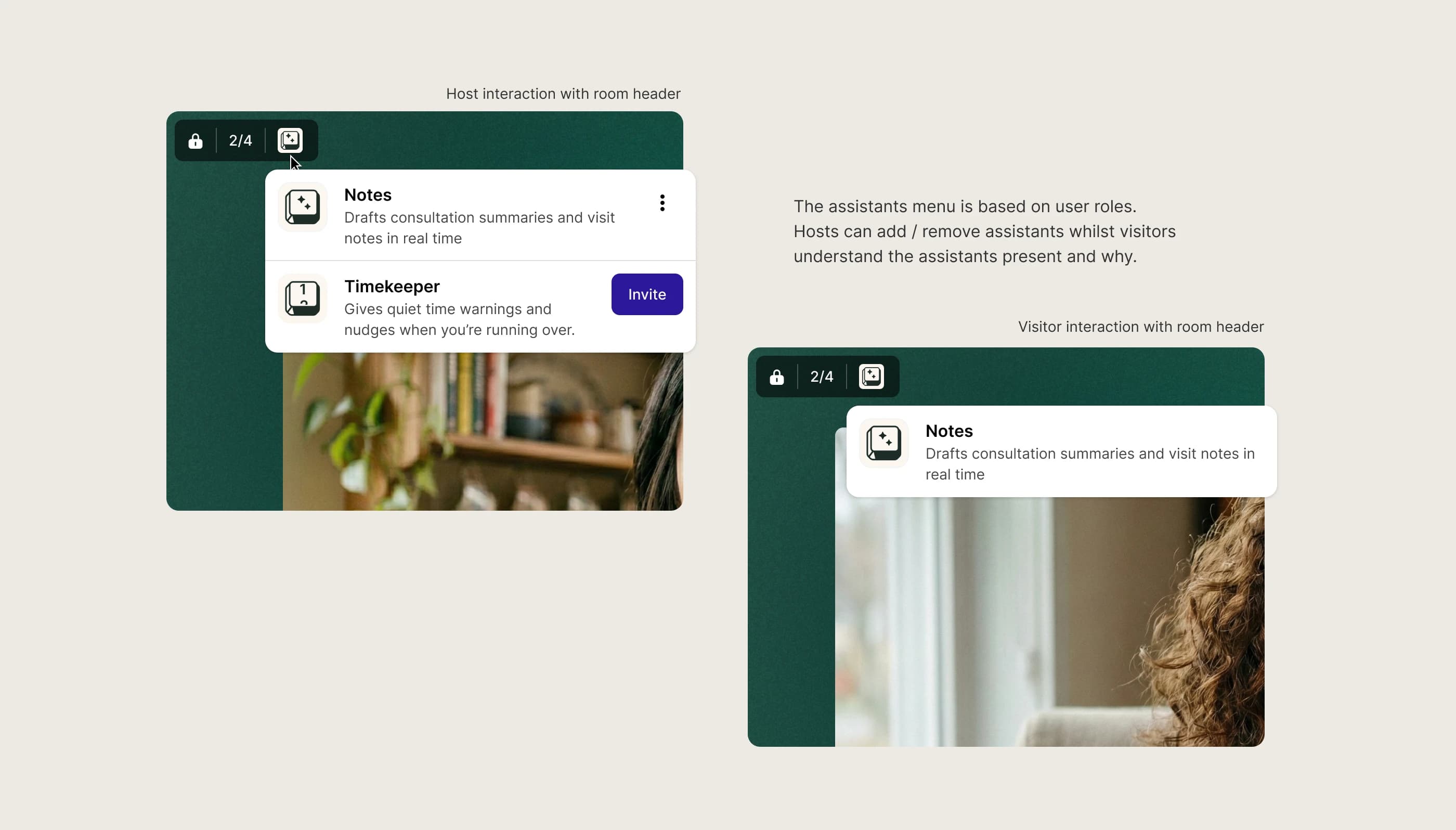
A key decision was to put trust first. Instead of working invisibly in the background, Assistants show up in the room, with a name, avatar, and clear purpose so participants understand exactly who's present and why.
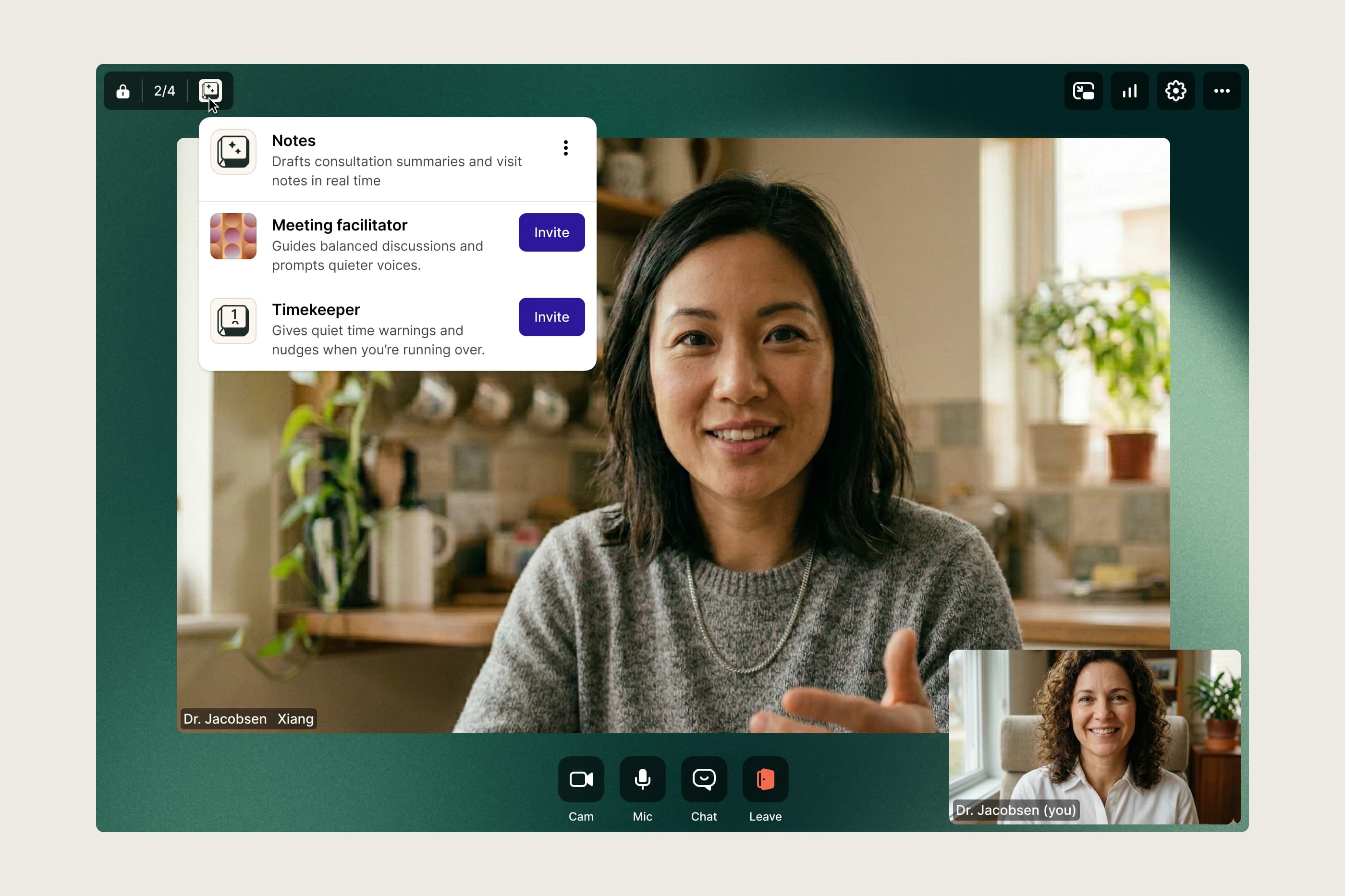
The obvious build for an AI assistant is invisible and seamless. I chose the opposite. In a clinical setting, I'd rather add a moment of friction than have an AI present that someone doesn't know about. That emphasis on transparency made the room header the anchor for communicating participation, both human and non-human.
Consent & Transparency
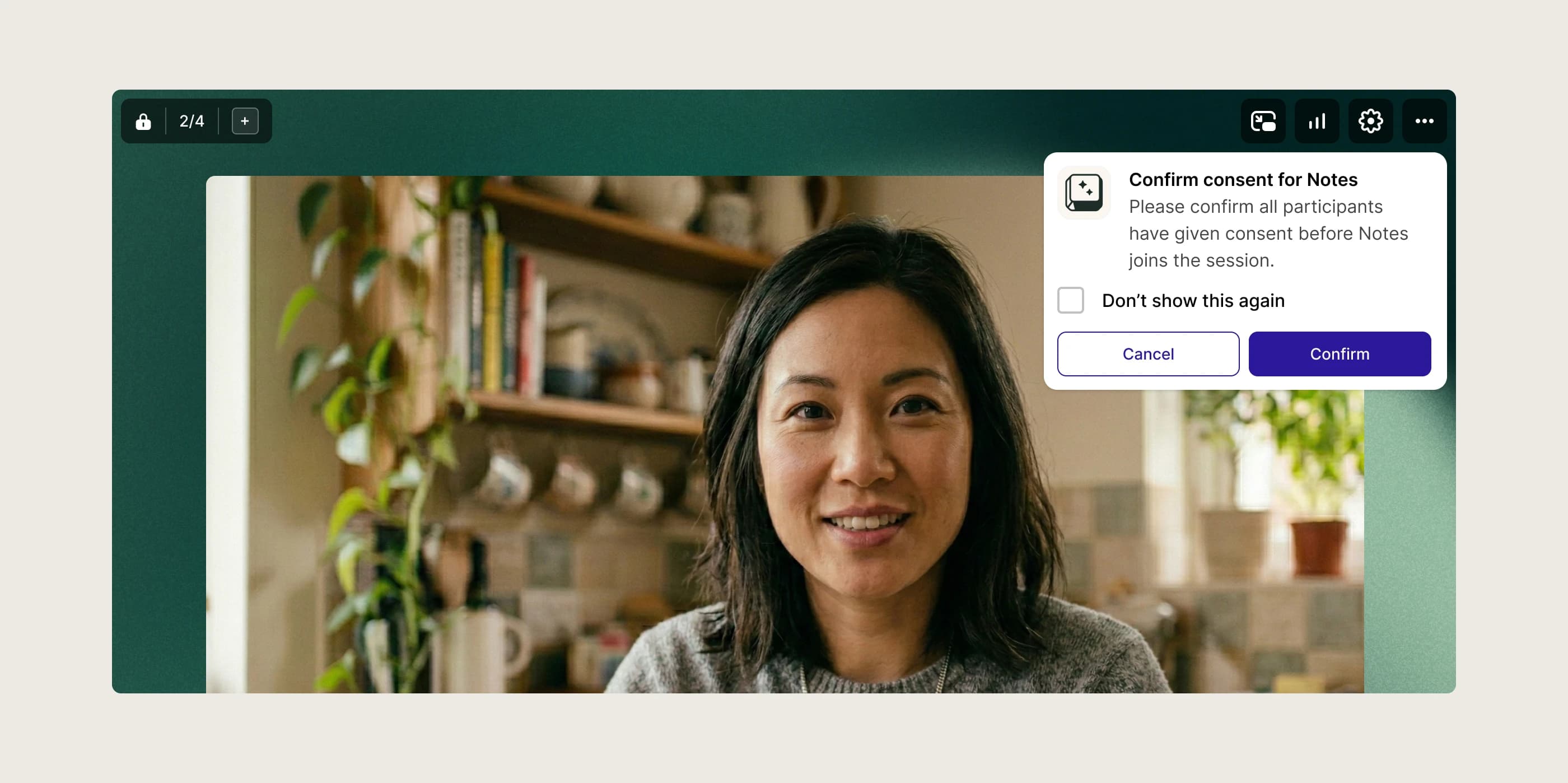
Another key contributor to trust was a consent dialog. AI adoption, especially in telehealth, can be challenging, so gently reminding clinicians to ensure their visitors are aware and approve of an assistant builds confidence for both the provider and the clinician's workflow.
It isn't really a screen. It's a workflow decision touching three people at once: the clinician running the session, the visitor who needs to approve, and the provider whose trust is on the line. I was designing around that moment, not just the interface.
Scaling Presence
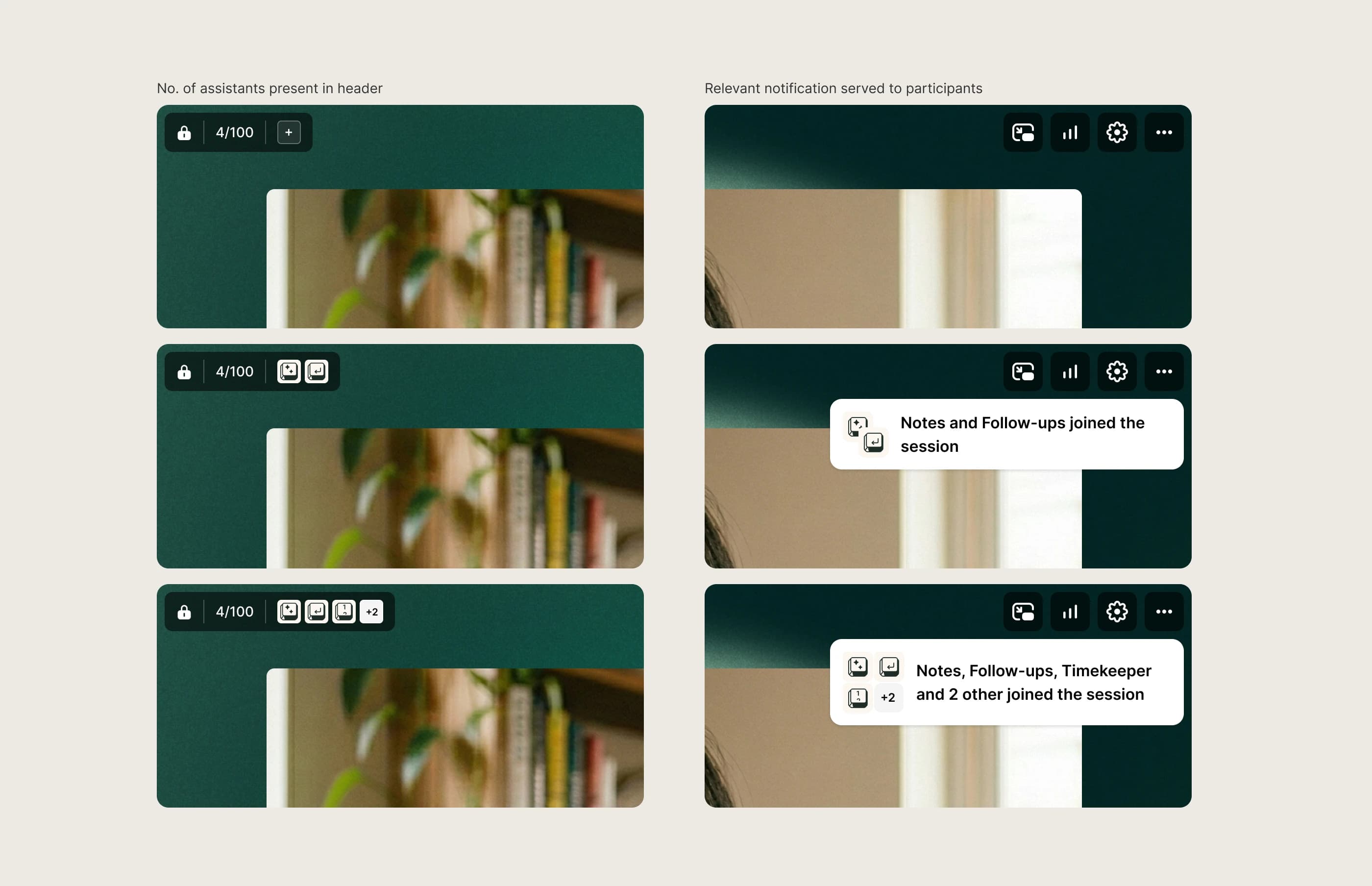
Trust isn't just about showing assistants. It's about making their presence predictable over time.
I explored what happens when assistants become popular, when customers have several, and when the room header needs to translate more meaning than it used to. I designed a pattern that stays quiet when it can be and explicit when it needs to be.
Configuration & Setup
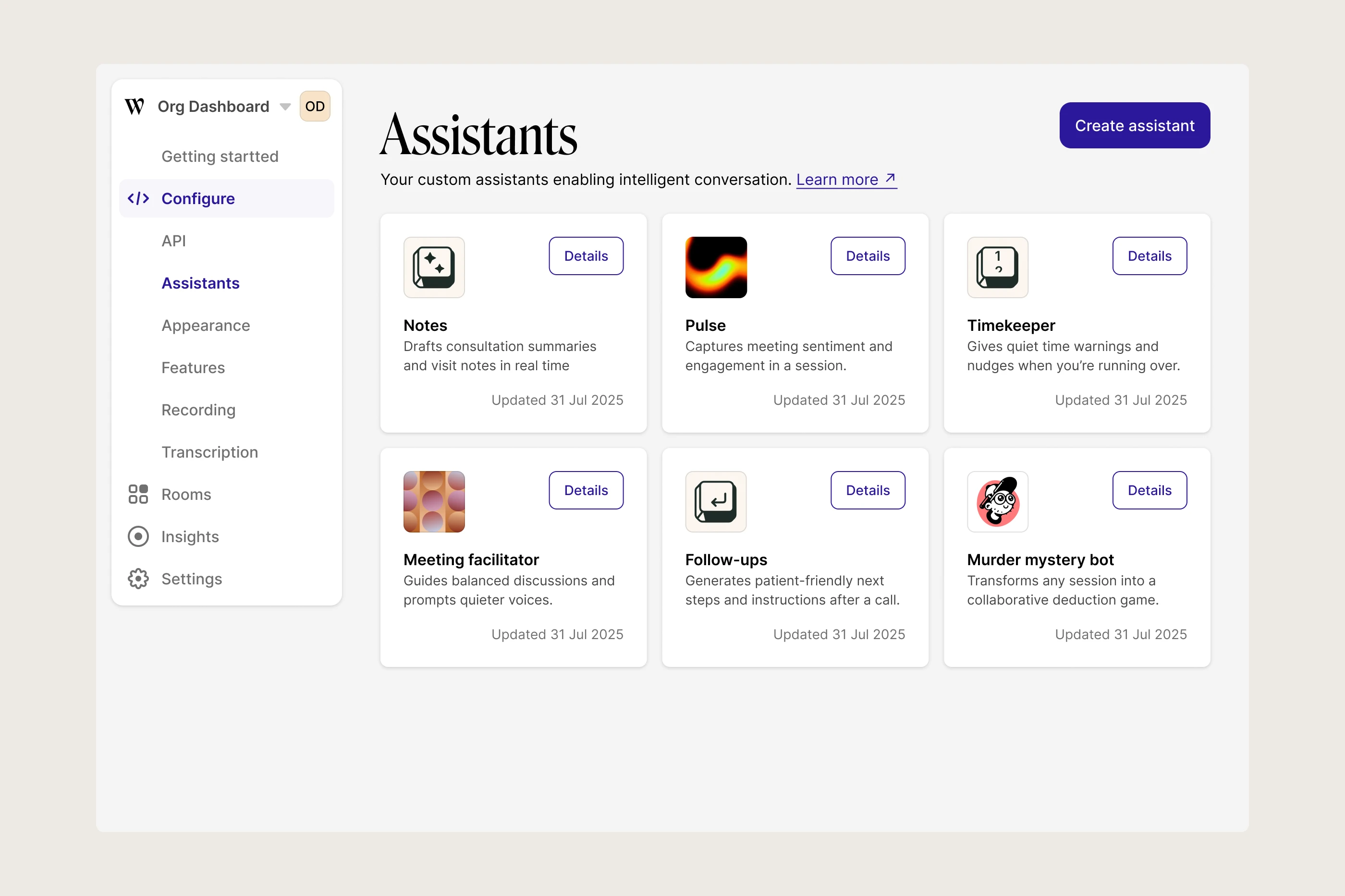
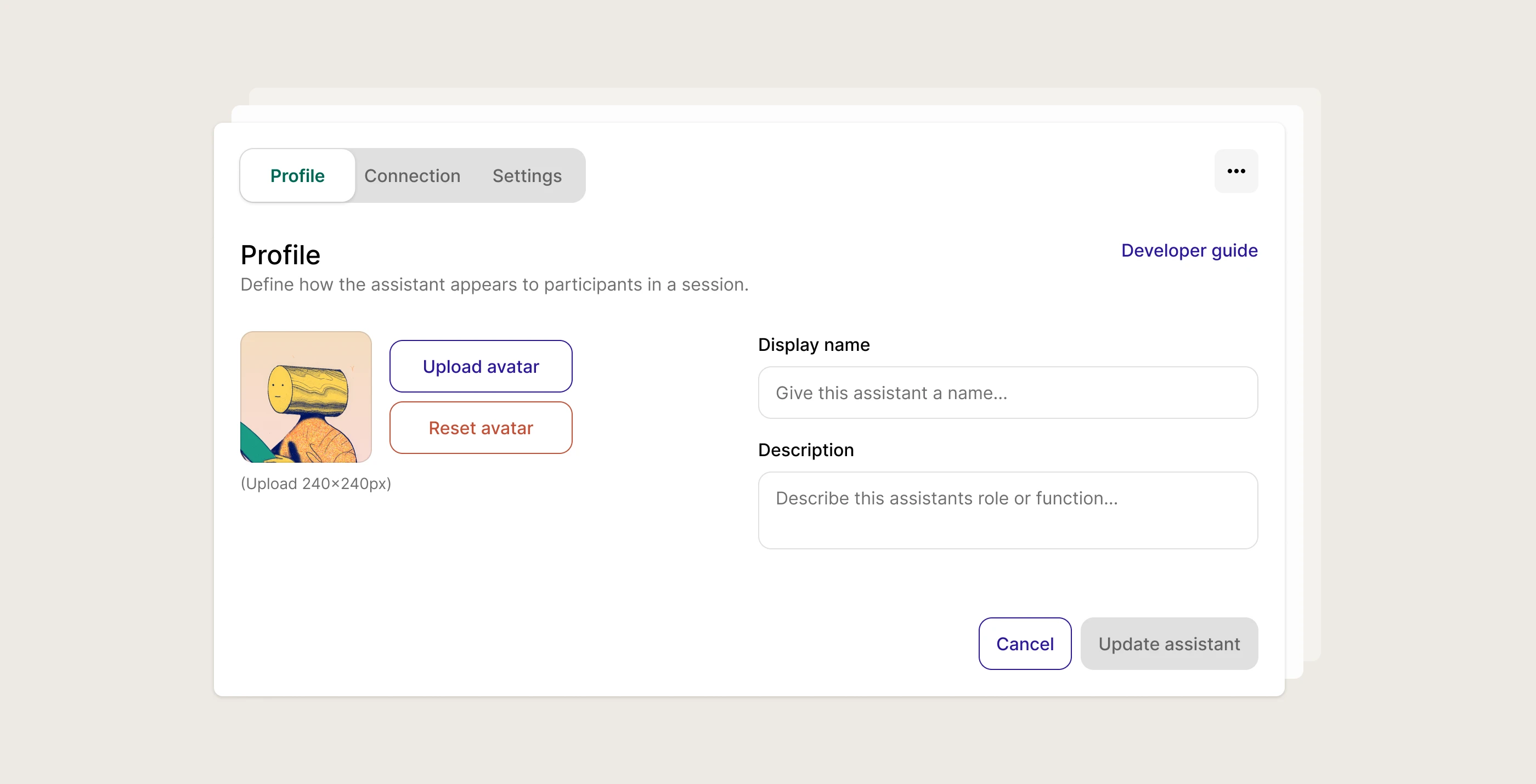
Assistants start in the customer's dashboard, where builders give an assistant its name, purpose, and avatar, the key components of our trust model.
I intentionally split configuration into three steps: Profile, Connection, Settings. This keeps setup approachable and gives room for scale, as customers get more confident and their needs become clearer.
Scoped With Customers
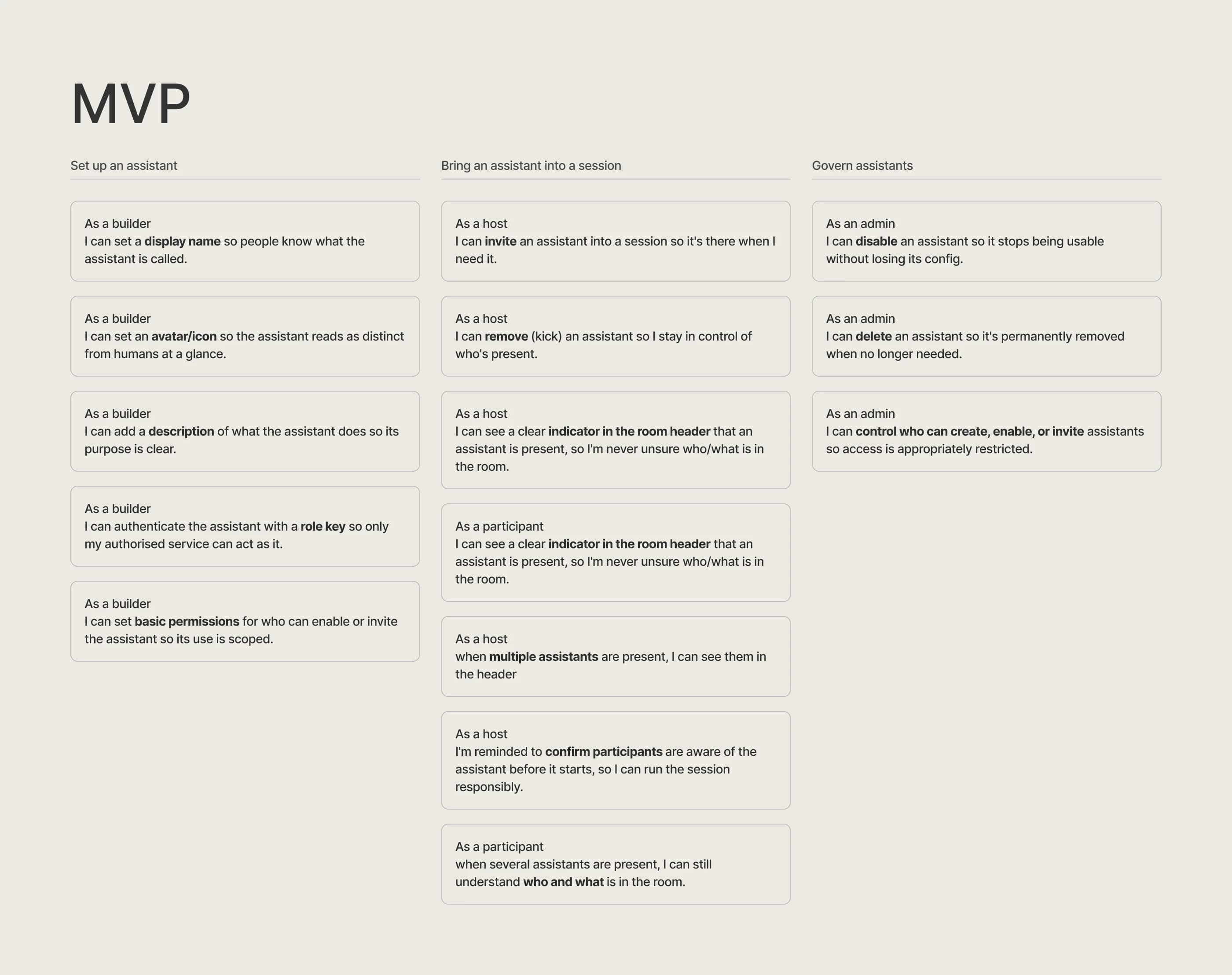
The scope wasn't handed to me. Early on it was all over the place, so I built a rough, early prototype and put it in front of select customers. It wasn't a usability test. It was a catalyst, something concrete and imperfect whose job was to drive the right conversations. Their feedback drew the line between what Assistants was and what it deliberately wasn't.
The clearest cut was the "active" assistant. It wouldn't live in the main grid, respond to chat, or control video and audio in the first release. That power belonged in a later phase, once we'd watched real use cases filter in. Holding it back kept the build focused, and kept us from designing for behaviour we hadn't seen yet.
Rollout & Holding
A feature like this doesn't just ship. I ran a cross-functional session across design, engineering, growth and marketing to define a phased rollout: early access, closed beta, and a GA we'd only move to once clear go/no-go criteria were met. Setting explicit criteria up front gave the whole team a shared bar to aim at, and the discipline to hold when we hadn't met it.
And we did hold. The gated rollout surfaced strategic questions worth answering before general availability, so Assistants is still, deliberately, in closed beta. Enterprise customers are building and enabling assistants in real sessions, with a strong feedback loop we're still learning from. Deciding what to ship, and when, is as much a part of the work as the design itself.